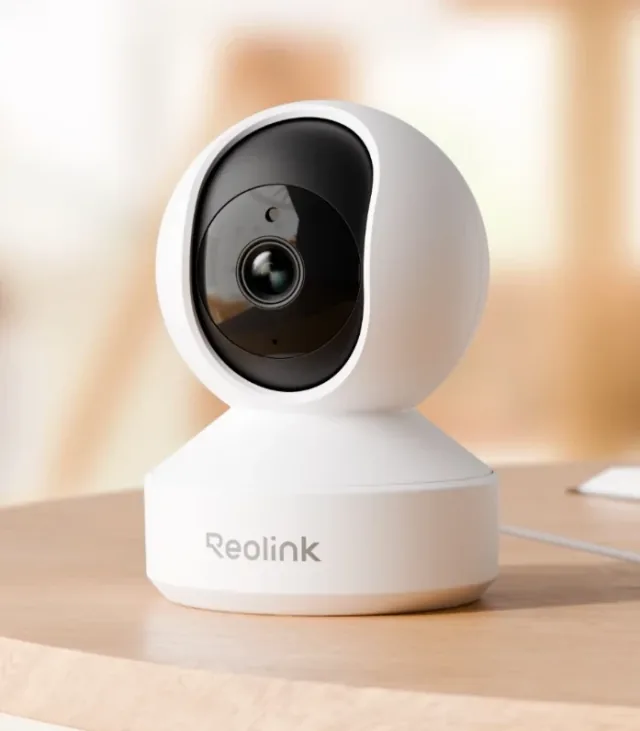

Why customize Reolink E1 Pro?
Reolink's current compatibility matrix lists E1 Pro/E330 with standalone CGI, RTSP, and ONVIF support. That provides a documented way to connect your own software to a finished camera. Your custom viewer or processing generally runs on another machine; this is not a firmware-unlock tutorial or a claim that the camera runs arbitrary code.
A good fit for
A private local viewer or time-lapse tool around a supported camera stream.
Not the right fit for
Installing arbitrary apps on the camera or exposing its feed publicly.
Compatibility
- Exact hardware
- E1 Pro / E330 · verify hardware revision
- Software route
- RTSP / ONVIF / CGI
- Where code runs
- The camera supplies a stream; your viewer, recording, or analysis runs on another machine.
- Development tools
- A laptop, a coding agent such as Claude Code or Cursor, and the tools listed in the guide.
- Evidence
- Official docs. Not hands-on tested.
Project ideas
- 01A local camera viewer on a home dashboard
- 02A time-lapse project for your own workspace
- 03A private software experiment using a camera feed
Getting started
- 01
Verify exact hardware
Check the device information and official compatibility table before enabling third-party access.
- 02
Test the local stream
Use the manufacturer's VLC guide to confirm a stream on your local network, with credentials kept private.
- 03
Build around a working feed
Ask your coding agent for a local viewer or time-lapse tool. Define where recordings live and how they are deleted before capturing anything.
Setup & technical references
Starter prompt
Help me build a private local viewer for my Reolink E1 Pro. First ask for its hardware revision, confirmed protocol support, and the computer that will run the viewer. Keep camera credentials server-side, do not expose ports to the internet, and do not record audio or video until I explicitly choose storage and retention.
Confirm your exact hardware before running device-changing commands.
Common questions
Does every Reolink E1 support RTSP?
No. E1 and E1 Pro are not interchangeable. Match the E1 Pro/E330 hardware revision to Reolink’s current protocol matrix before relying on standalone access.
Can I use this camera feed in a web dashboard?
Yes, with software that handles the confirmed stream format. A browser may need a server-side bridge; keep credentials on that server and access restricted to authorized users.
Where can I buy Reolink E1 Pro?
An Amazon listing is linked as a starting point, not a guarantee of stock or compatibility. Verify E1 Pro/E330 and its hardware revision against the manufacturer's current matrix. E1 and E1 Pro are not interchangeable; some models need a hub.