Why customize Elgato Stream Deck Pedal?
Elgato Stream Deck Pedal gives your software a physical output. The plugin runs in the Stream Deck application on your Windows or macOS computer. The linked documentation establishes a control route; the project ideas below are suggestions, not projects we have personally built or tested.
A good fit for
A one-press script launcher with status feedback.
Not the right fit for
A guaranteed plug-and-play result without the listed setup or accessories.
Compatibility
- Exact hardware
- Elgato Stream Deck Pedal
- Software route
- Stream Deck SDK + plugins
- Where code runs
- The plugin runs in the Stream Deck application on your Windows or macOS computer.
- Development tools
- A laptop, a coding agent such as Claude Code or Cursor, and the tools listed in the guide.
- Evidence
- Published documentation / community project. Not hands-on tested.
Project ideas
- 01A one-press script launcher with status feedback
- 02A physical control for a personal workflow
Getting started
- 01
Confirm the exact model
Match the hardware label and bundle to the linked documentation. The selected Stream Deck, a USB connection, Stream Deck software and the SDK development tools.
- 02
Prove the documented connection
Follow the original guide and run its smallest supported example before asking an agent to extend it. This is a computer peripheral, not a standalone computer. Pedal has no screens, Plus adds dials, and Neo has a different layout; build actions for the controls actually present.
- 03
Build one useful behavior
Start with a one-press script launcher with status feedback. Add logging, sensible timeouts and a manual off switch. The plugin runs in the Stream Deck application on your Windows or macOS computer.
Using it with coding tools
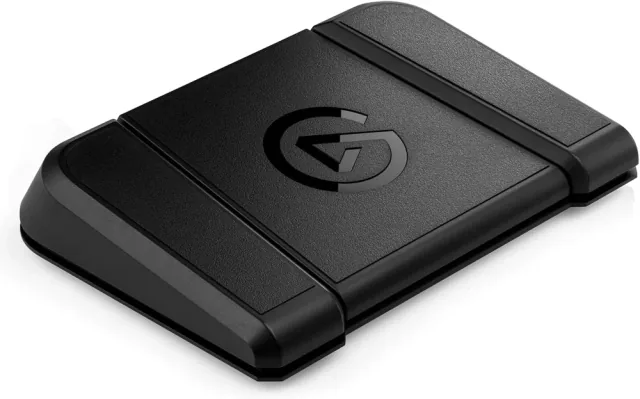
Three footswitches for dictation or other shortcuts while your hands stay on the keyboard. Elgato documents AI voice-prompting workflows.
You’ll need: A compatible Windows or Mac computer, Stream Deck software, a microphone, and a dictation app with a usable shortcut.
Hold-to-talk and toggle-to-talk are different. Check key-down/key-up behavior with your specific app; the pedal itself does not transcribe speech.
Automate the shortcut, not your judgment
A button is useful when you already know which action you repeat. Opening the editor, showing a terminal, or starting dictation are sensible first candidates. A shortcut deck does not make the agent more capable; it makes a familiar action easier to reach.
Elgato documents a foot-pedal workflow in which a shortcut triggers dictation, which inserts text at the cursor. That is an input workflow, not evidence that AI wrote the pedal’s software.
Start with three actions
Suggested layout: one button opens or focuses your coding environment; a second triggers your dictation shortcut; a third brings up your test runner or terminal. Configure and test each action separately rather than chaining them into one macro.
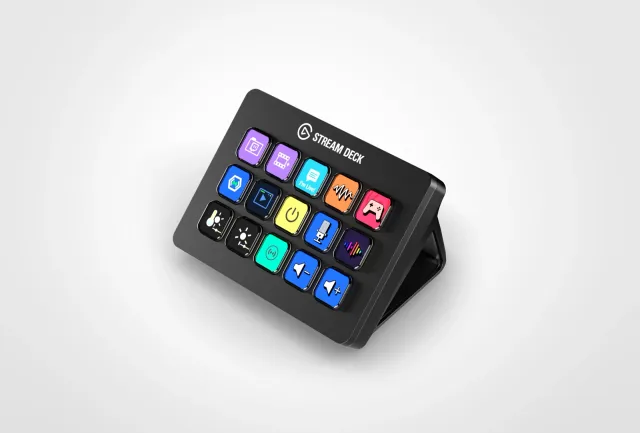
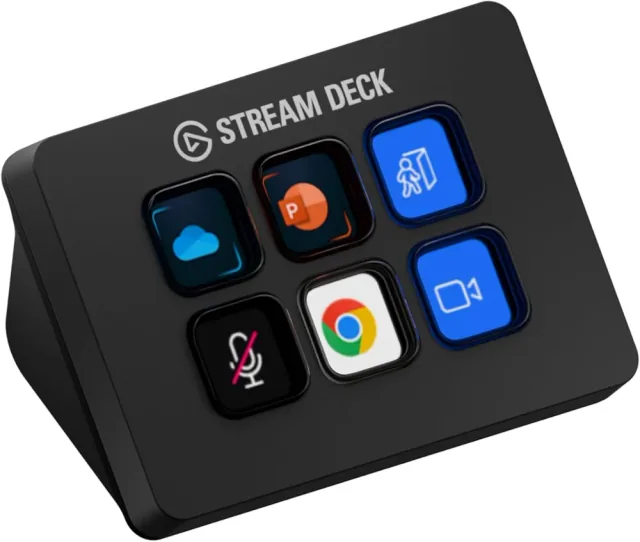
Stream Deck Mini has six LCD keys; MK.2 has fifteen. The Pedal trades on-screen labels for three footswitches. Use a keyboard shortcut first to decide whether dedicated hardware is worth the desk or floor space.
Configure for your app, not a generic recipe
Install the supported Stream Deck software and follow Elgato’s hotkey instructions. Choose the actual shortcut from your editor or dictation app; operating systems, keymaps, and app versions differ. Confirm any accessibility or microphone permissions your setup needs.
Test a press, a hold, and a release in a harmless text document. Some dictation tools toggle listening; others require a held key. Check what happens when you switch windows or reconnect the device. Do not assume one tap means “start” and the next means “stop.”
Leave consequential actions on screen
Do not turn an easily bumped pedal into “approve everything,” a production deployment, or an unchecked shell command. Leave code review and permission prompts visible. If you later automate local tests, make the working directory and command explicit and keep failure output visible.
For a quieter desk, a display is another option: the community Clauddy project uses a MiniToo to show agent status. It requires its own host setup and reverse-engineered software; it is not an official ready-made Claude integration.
Further reading
Setup & technical references
Starter prompt
Help me plan a one-press script launcher with status feedback using Elgato Stream Deck Pedal. Read https://docs.elgato.com/streamdeck/sdk/introduction/getting-started/ first. Confirm my operating system, exact model, firmware and required accessories. Use only documented capabilities. Start with the smallest reversible test and ask before moving hardware, flashing firmware or changing credentials. This is a computer peripheral, not a standalone computer. Pedal has no screens, Plus adds dials, and Neo has a different layout; build actions for the controls actually present. Keep secrets out of public code.
Confirm your exact hardware before running device-changing commands.
Common questions
Where does my software run?
The plugin runs in the Stream Deck application on your Windows or macOS computer.
What do I need before starting?
The selected Stream Deck, a USB connection, Stream Deck software and the SDK development tools.
What should I check before buying?
This is a computer peripheral, not a standalone computer. Pedal has no screens, Plus adds dials, and Neo has a different layout; build actions for the controls actually present.