About the directory & our standards

Displays / Device firmware

Dedicated cyberpunk internet-status display

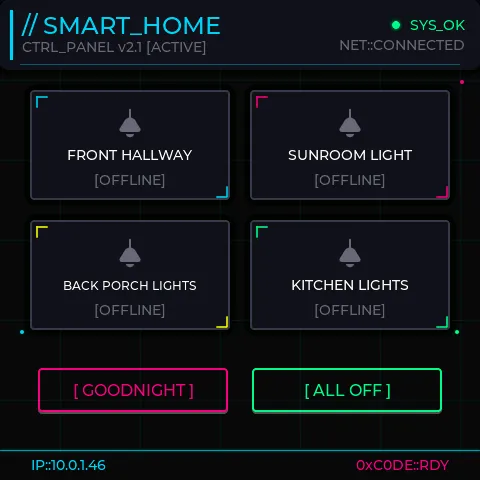
Ryan's 4-inch touchscreen continuously displays internet availability, device IP and MAC address through a custom animated interface programmed onto the physical display.

Read the original build See shopping list
guition network display
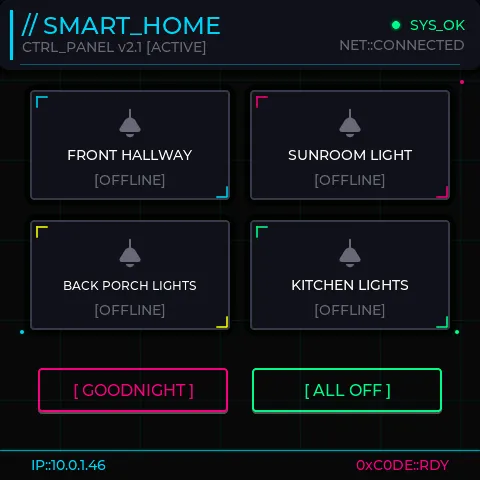
Ryan / mccahan · example from the same display platform, not the network-monitor screen

What the hardware does

Custom firmware turns a cased touchscreen into a dedicated internet-status display.

How the agent helped

Creator describes generating and iterating the firmware/interface without writing code, including OTA flashing and an endpoint that lets Claude inspect the physical display's framebuffer; reports a functioning result after 7 minutes 33 seconds.

Before you build

Starts from a prepared base project. Reported build time excludes initial setup; other display models are not verified.

Follow the build

medium.com

Original build story

First-person build walkthrough with final-result media captions

github.com
Supporting source

Shopping list

Save as Markdown

Parts for one build. Reuse equipment you already own. Quantities are planning quantities unless the creator explicitly specifies a count; kit contents are not additional purchases.

Confirm before buying

  • Confirm the exact board revision, casing and USB/power arrangement on the selected listing. Other 4-inch displays are not verified substitutes.

Quantities are for one build. Unless marked source-specified, they are planning quantities; confirm kit contents and the chosen configuration before ordering.

  1. Qty. 1Plan / confirm
    Required

    Guition ESP32-S3–4848S040, silver plastic case

    480×480 ST7701 display with GT911 touch.

    Creator-linked marketplace listing; variant and seller stock could not be live-verified.

    Sources & quantity basis

    Creator source. Planning quantity for one build; check the selected configuration.

    Source-linked listing

    Creator-linked listing; inspect selected variant

    Source-linked; live page not verified

  2. Qty. 1Plan / confirm
    Required

    USB-C data cable

    Connect to the computer for programming or data.

    A charge-only cable cannot flash firmware. Example requires a USB-A host port. If your computer has only USB-C, use an appropriate USB-C data cable instead. Reuse the device’s included cable where possible; this is not a standalone power-supply recommendation.

    Sources & quantity basis

    Setup requirement — check against your configuration. Planning quantity for one build; check the selected configuration.

    Example part

    Accessory example: USB-A to USB-C, 1 m, data capable

  3. Qty. 1Plan / confirm
    Tool

    Computer for setup

    Build, configure or flash the software.

    Sources & quantity basis

    Setup requirement — check against your configuration. Planning quantity for one build; check the selected configuration.

    Use existing equipment or match the specification above. No exact purchase link verified.

  4. Qty. ExistingPlan / confirm
    Required

    Wi-Fi network

    Network data and OTA updates.

    Sources & quantity basis

    Setup requirement — check against your configuration. Planning quantity for one build; check the selected configuration.

    Use existing equipment or match the specification above. No exact purchase link verified.

  5. Qty. 1Plan / confirm
    Conditional

    USB power source

    Power the device.

    Use the board’s specified USB input.

    Sources & quantity basis

    Setup requirement — check against your configuration. Planning quantity for one build; check the selected configuration.

    Use existing equipment or match the specification above. No exact purchase link verified.

Source reviewed, not assembled or hands-on tested. A working product page does not confirm stock, firmware compatibility or a complete build.

Built something with a coding agent?

Share your hardware project so others can try it.

Submit a project