About the directory & our standards

Displays / Computer companion

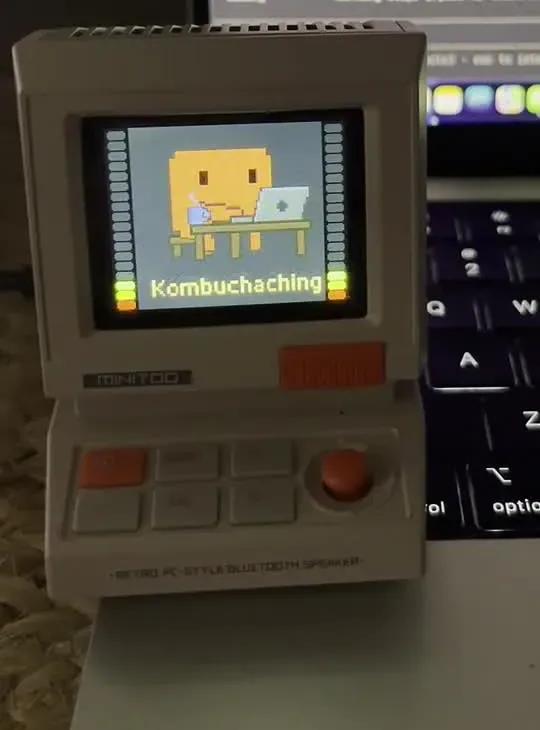
Clauddy: turn a MiniToo into a physical coding-status notifier

Reuses the finished pixel display's custom clock faces for animated working, waiting-for-feedback and idle states, switched by coding-session hooks over Bluetooth.

Read the original build See shopping list
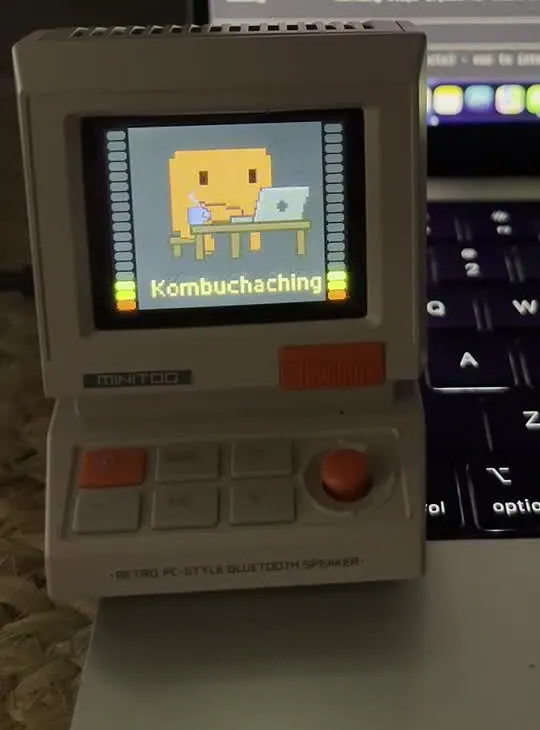
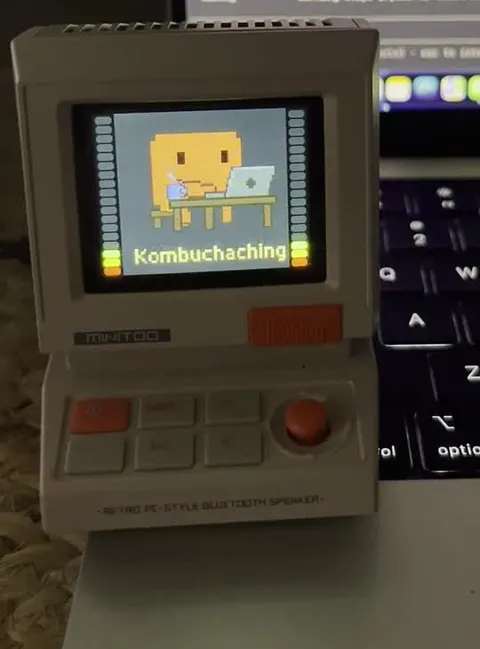
Divoom MiniToo showing the working status beside a laptop
bugzmanov · frame from creator demo

What the hardware does

Bluetooth switches the physical pixel display between working, waiting and idle faces.

How the agent helped

Creator's first-person post explicitly describes giving Opus the Android APK to reverse engineer and reporting device crashes during iteration. Linked repository documents the resulting Bluetooth daemon, image tooling and working status application.

Before you build

macOS only; working-draft, reverse-engineered protocol. Text and repository were reviewed, but the embedded demonstration video did not play.

Follow the build

reddit.com

Original build story

First-person community build write-up plus live-reviewed project documentation

github.com
Supporting source

Shopping list

Save as Markdown

The firmware version is part of the compatibility target. MiniToo is not Pixoo, Ditoo or another Divoom model; microphone, extra screen and microcontroller are not required.

Quantities are for one build. Unless marked source-specified, they are planning quantities; confirm kit contents and the chosen configuration before ordering.

  1. Qty. 1Plan / confirm
    Required

    Divoom MiniToo, firmware 2.4.0

    160×128 desktop display.

    Sources & quantity basis

    Creator source. Planning quantity for one build; check the selected configuration.

    View product

    Product page

  2. Qty. 1Plan / confirm
    Required

    Mac with Bluetooth

    Build, configure or flash the software.

    Run the reverse-engineered display bridge.

    Sources & quantity basis

    Setup requirement — check against your configuration. Planning quantity for one build; check the selected configuration.

    Use existing equipment or match the specification above. No exact purchase link verified.

  3. Qty. 1Plan / confirm
    Required

    MiniToo charging cable / USB power

    Keep the device charged.

    Data is sent over Bluetooth; do not assume the charge port is a USB display interface.

    Sources & quantity basis

    Setup requirement — check against your configuration. Planning quantity for one build; check the selected configuration.

    Use existing equipment or match the specification above. No exact purchase link verified.

Source reviewed, not assembled or hands-on tested. A working product page does not confirm stock, firmware compatibility or a complete build.

Built something with a coding agent?

Share your hardware project so others can try it.

Submit a project