About the directory & our standards

Cameras & sensors / Unofficial firmware

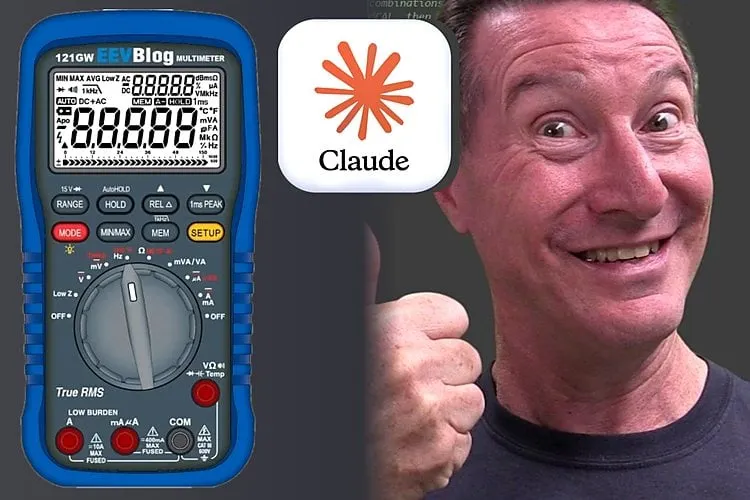
Open and rebuild a multimeter firmware

Reconstructs the meter application and bootloader as editable C, then tests it on the meter including Bluetooth.

Read the original build See shopping list
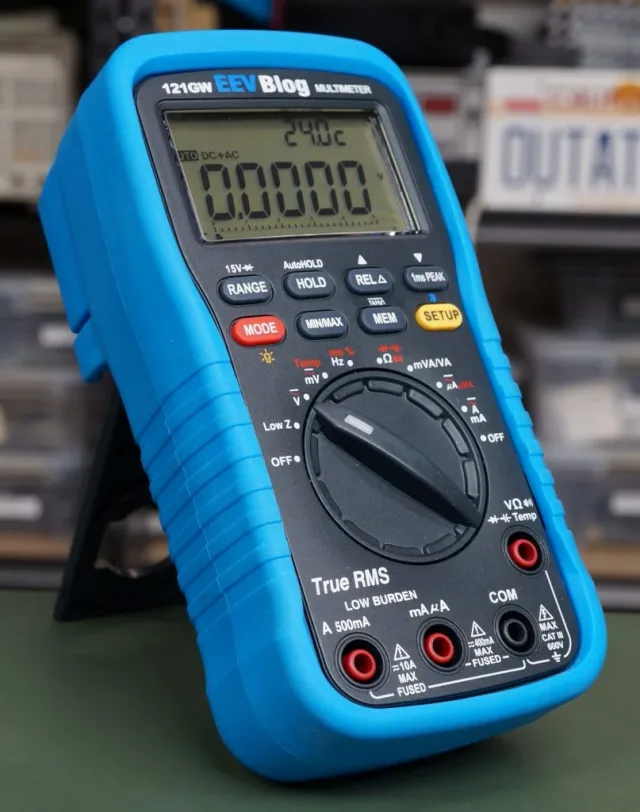
EEVblog Dave Jones 121GW Multimeter Firmware Rebuild
Circuit Digest / EEVblog

What the hardware does

A rebuilt meter application runs on the real multimeter, including Bluetooth.

How the agent helped

Article describes the overnight Claude Code job, emulator comparison, Ghidra/GCC workflow and Dave Jones testing the meter.

Before you build

An enabling experiment, not a new everyday feature. Do not rely on modified firmware for safety-critical measurements.

Follow the build

circuitdigest.com

Original build story

Reported build walkthrough

github.com

Supporting source

Shopping list

Save as Markdown

Experimental open firmware is not a calibration or safety certification. Keep all test leads disconnected while servicing; do not use modified firmware for hazardous-voltage measurements.

Quantities are for one build. Unless marked source-specified, they are planning quantities; confirm kit contents and the chosen configuration before ordering.

  1. Qty. 1Plan / confirm
    Required

    EEVblog 121GW

    Exact meter target.

    Sources & quantity basis

    Creator source. Planning quantity for one build; check the selected configuration.

    View product

    Exact product

  2. Qty. 1Plan / confirm
    Required

    microSD card

    Firmware, operating system or project storage.

    The README documents the SD bootloader update path; match supported card formatting.

    Sources & quantity basis

    Creator source. Planning quantity for one build; check the selected configuration.

    No exact purchase link verified; confirm the model and requirements above before ordering.

  3. Qty. 1Plan / confirm
    Tool

    microSD card reader

    Write the update file.

    Sources & quantity basis

    Setup requirement — check against your configuration. Planning quantity for one build; check the selected configuration.

    Use existing equipment or match the specification above. No exact purchase link verified.

  4. Qty. 1Plan / confirm
    Tool

    Computer for setup

    Build, configure or flash the software.

    Sources & quantity basis

    Setup requirement — check against your configuration. Planning quantity for one build; check the selected configuration.

    Use existing equipment or match the specification above. No exact purchase link verified.

  5. Qty. 4Source count
    Required

    AA batteries

    Power the meter.

    Manufacturer lists four AA cells; use fresh batteries for updating.

    Sources & quantity basis

    Creator source. Source-specified quantity.

    No exact purchase link verified; confirm the model and requirements above before ordering.

  6. Qty. 1Plan / confirm
    Optional

    SWD programmer and debug leads

    Alternative development/recovery route.

    Not required for the normal SD update path. Requires opening and correctly connecting the meter.

    Sources & quantity basis

    Creator source. Planning quantity for one build; check the selected configuration.

    No exact purchase link verified; confirm the model and requirements above before ordering.

Source reviewed, not assembled or hands-on tested. A working product page does not confirm stock, firmware compatibility or a complete build.

Built something with a coding agent?

Share your hardware project so others can try it.

Submit a project