About the directory & our standards

Printing & tools / Computer companion

Make an unsupported printer work normally on a Mac

Print from ordinary macOS applications through a custom bridge around the vendor Linux codec.

Read the original build See shopping list
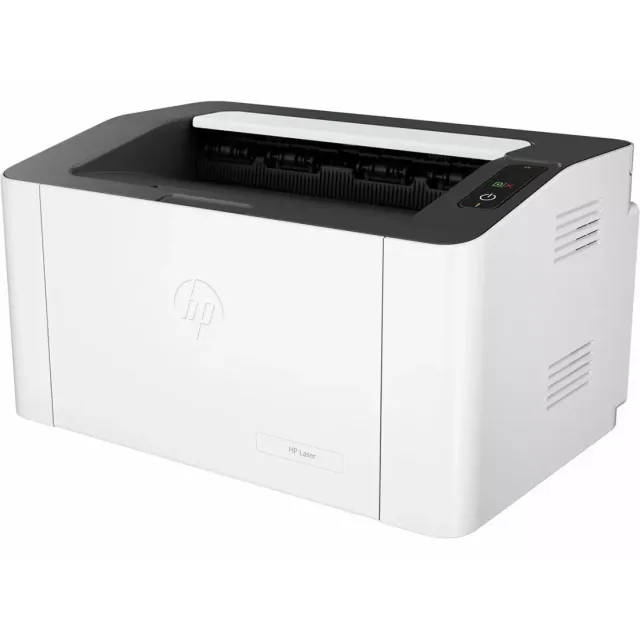
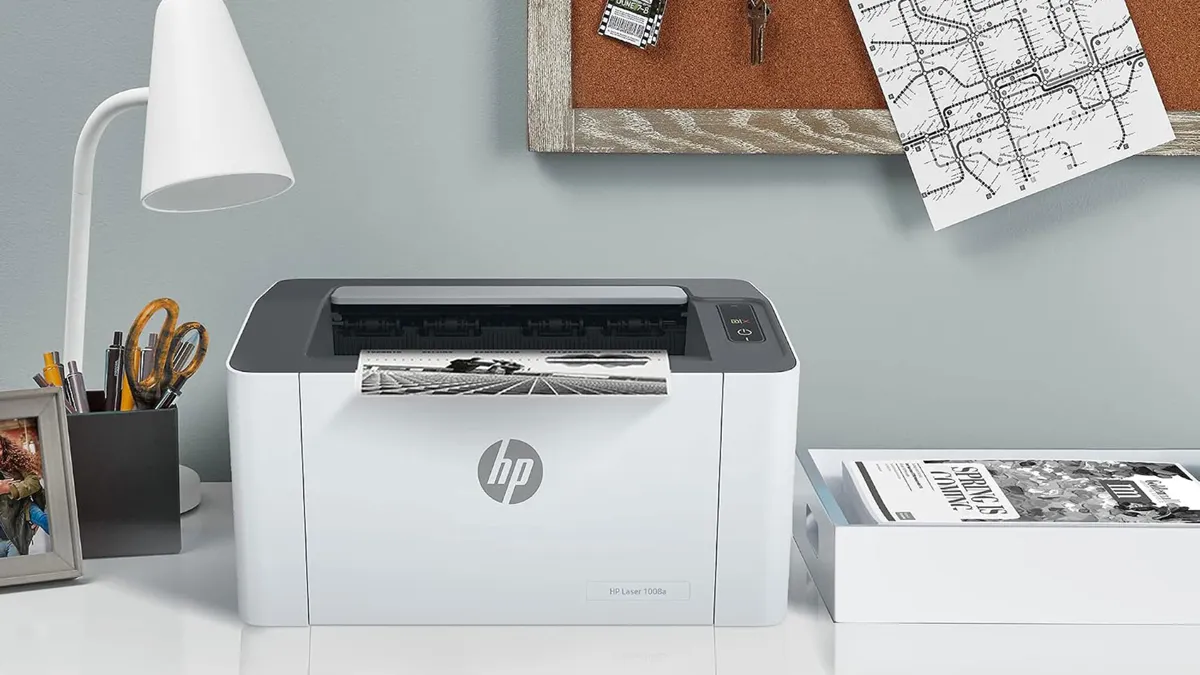
HP Laser 1008a printer
Tom’s Hardware · HP Laser 1008a

What the hardware does

A custom USB print bridge makes the physical printer available to normal Mac applications.

How the agent helped

Tom’s Hardware explicitly attributes the driver package to Claude Code and explains the Linux-container and USB path.

Before you build

The current repository replaces the earlier Linux-container approach with native CUPS/IOKit components, tested on Apple Silicon macOS 26. Installation creates a privileged printer backend and changes the conflicting IPP-over-USB setup; review it before granting administrator access. This is host software, not printer firmware.

Follow the build

tomshardware.com

Original build story

Reported build walkthrough

github.com
Supporting source

Shopping list

Save as Markdown

Current repository has replaced the older Linux-container implementation with native CUPS/IOKit components. It installs a privileged backend; review before granting administrator access.

Quantities are for one build. Unless marked source-specified, they are planning quantities; confirm kit contents and the chosen configuration before ordering.

  1. Qty. 1Plan / confirm
    Required

    HP Laser 1008a

    USB laser printer.

    Exact 714Z8A model sold by an Indian retailer; check regional mains voltage and shipping. Current code reports USB-connected 1008a on Apple Silicon macOS 26.

    Sources & quantity basis

    Creator source. Planning quantity for one build; check the selected configuration.

    View product

    Exact HP Laser 1008a 714Z8A; Indian retailer

  2. Qty. 1Plan / confirm
    Required

    Apple Silicon Mac

    Build, configure or flash the software.

    Current repository reports testing on macOS 26.

    Sources & quantity basis

    Setup requirement — check against your configuration. Planning quantity for one build; check the selected configuration.

    Use existing equipment or match the specification above. No exact purchase link verified.

  3. Qty. 1Plan / confirm
    Required

    USB printer data cable

    Connect to the computer for programming or data.

    Match the printer-side port and Mac port; use an adapter only if required.

    Sources & quantity basis

    Setup requirement — check against your configuration. Planning quantity for one build; check the selected configuration.

    Use existing equipment or match the specification above. No exact purchase link verified.

  4. Qty. As neededPlan / confirm
    Required

    Compatible toner and printer paper

    Print consumables.

    Use the exact consumables specified for the 1008a, not a similarly named printer.

    Sources & quantity basis

    Setup requirement — check against your configuration. Planning quantity for one build; check the selected configuration.

    Use existing equipment or match the specification above. No exact purchase link verified.

  5. Qty. 1Plan / confirm
    Required

    Device power supply

    Power the device.

    Reuse the printer’s region-correct mains cable.

    Sources & quantity basis

    Setup requirement — check against your configuration. Planning quantity for one build; check the selected configuration.

    Use existing equipment or match the specification above. No exact purchase link verified.

Source reviewed, not assembled or hands-on tested. A working product page does not confirm stock, firmware compatibility or a complete build.

Built something with a coding agent?

Share your hardware project so others can try it.

Submit a project