About the directory & our standards

Cameras & sensors / Specialist tools

Decode real car and gauge signals with a custom CAN sniffer

Reads real CAN-bus traffic, aligns it with dashboard video or human-moved gauges, and produces usable signal definitions and live visualizations. Demonstrated vehicle speed decoding and physical gauge-position decoding.

Read the original build See shopping list
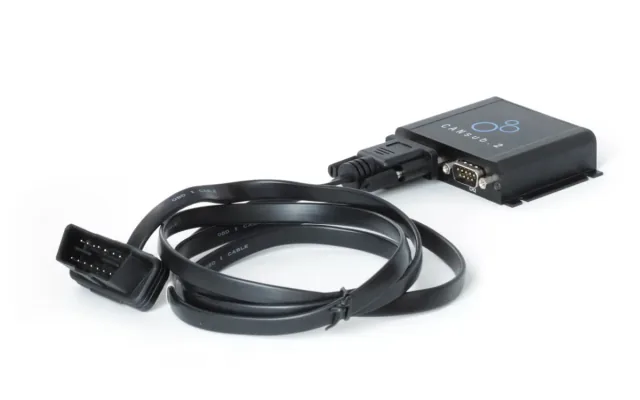
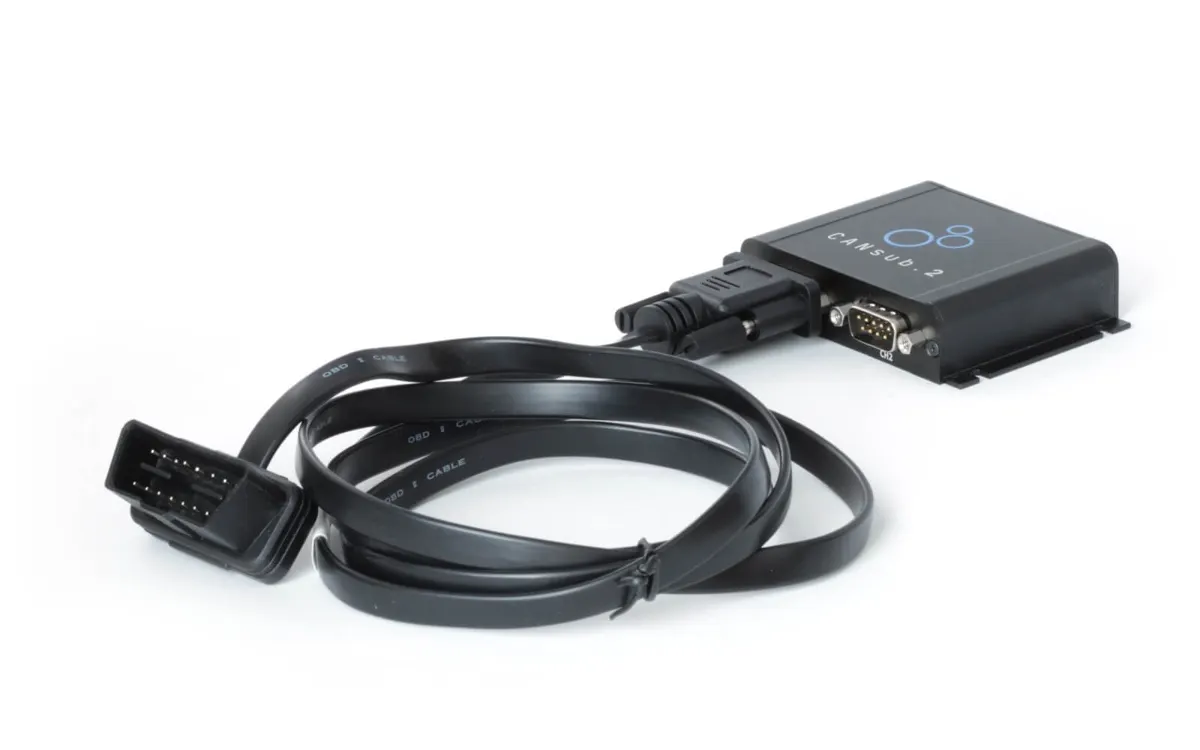
CANsub.2 with OBD2-DB9 cable
CSS Electronics · demonstrated hardware setup

What the hardware does

A physical CAN interface captures signals from a vehicle or test gauges for decoding.

How the agent helped

Martin Falch's 'How I built the skill (or asked Claude to)' section says he deliberately did not create the Python tools himself, instead directing Claude through test cases and corrections; the article shows the resulting software operating with CANsub hardware.

Before you build

Use listen-only capture. Wiring and reference signals require expertise; decoded results are not safety-certified. Do not transmit control commands to a vehicle.

Follow the build

csselectronics.com

Original build story

First-person manufacturer build guide with physical demonstrations and validation plots

github.com
Supporting source

Shopping list

Save as Markdown

Use listen-only capture and correct cable pinout; do not transmit vehicle control commands or operate the computer while driving.

Confirm before buying

  • Optional reference-board model and vehicle-specific bus access require confirmation.

Quantities are for one build. Unless marked source-specified, they are planning quantities; confirm kit contents and the chosen configuration before ordering.

  1. Qty. 1Plan / confirm
    Required

    CSS Electronics CANsub.2

    Capture CAN traffic.

    Sources & quantity basis

    Creator source. Planning quantity for one build; check the selected configuration.

    View product

    Product page

  2. Qty. 1Plan / confirm
    Required

    OBD2-to-DB9 adapter cable

    Connect vehicle diagnostic socket to interface.

    Sources & quantity basis

    Creator source. Planning quantity for one build; check the selected configuration.

    View product

    Exact creator-recommended accessory

  3. Qty. 1Plan / confirm
    Required

    USB (CANsub-compatible) data cable

    Connect to the computer for programming or data.

    Connect the CANsub to the analysis computer.

    Sources & quantity basis

    Setup requirement — check against your configuration. Planning quantity for one build; check the selected configuration.

    Use existing equipment or match the specification above. No exact purchase link verified.

  4. Qty. 1Plan / confirm
    Required

    Computer for capture and decoding

    Build, configure or flash the software.

    Run webCAN / Python capture tools.

    Sources & quantity basis

    Setup requirement — check against your configuration. Planning quantity for one build; check the selected configuration.

    Use existing equipment or match the specification above. No exact purchase link verified.

  5. Qty. 1Plan / confirm
    Required

    Vehicle / live CAN source

    Provide traffic to decode.

    Creator’s live example used an Opel Astra; access to proprietary CAN data differs by vehicle.

    Sources & quantity basis

    Creator source. Planning quantity for one build; check the selected configuration.

    No exact purchase link verified; confirm the model and requirements above before ordering.

  6. Qty. 1Plan / confirm
    Optional

    Contactless CAN reader

    Alternative capture connection.

    May help when desired traffic is not exposed at the OBD port; follow the manufacturer wiring guide.

    Sources & quantity basis

    Creator source. Planning quantity for one build; check the selected configuration.

    View product

    Creator-recommended optional accessory

  7. Qty. 1 eachPlan / confirm
    Optional

    CANmod.input and potentiometer board

    Controlled reference signal experiment.

    Not required for a basic vehicle capture; exact potentiometer board not identified.

    Sources & quantity basis

    Creator source. Planning quantity for one build; check the selected configuration.

    No exact purchase link verified; confirm the model and requirements above before ordering.

Source reviewed, not assembled or hands-on tested. A working product page does not confirm stock, firmware compatibility or a complete build.

Built something with a coding agent?

Share your hardware project so others can try it.

Submit a project